
As security programs grow, more people need to create and manage their own work, and more time goes into everyday navigation. Faraday 5.24 tackles both. It brings a new role that lets non-admin users create and manage their own workspaces, weekly reports you can actually keep, a faster way to move around the platform, and a new place to discover everything that’s new.
Here’s what’s new.
Highlights
- Workspace Administrator: Workspace Ownership Without Global Admin Rights
- Weekly Reports for you to download, and Share
- Move Faster with Keyboard Shortcuts
- Discover What’s New, Right Inside Faraday
- Tighter Access Control Across the Platform
- More Reliable Data in Reports and Integrations
Workspace Administrator: Workspace Ownership Without Global Admin Rights
Until now, only Administrators could create, edit, or delete workspaces. Every new engagement or project depended on someone with global access.
Faraday 5.24 adds a new built-in role, Workspace Administrator, alongside Administrator, Asset Owner, Pentester, and Client.
- Workspace Administrators can create their own workspaces and fully manage them: edit, delete, and work inside them
- Their control is limited to the workspaces they created. They can’t see or change anyone else’s
- Administrators keep full control over the instance. They can see and remove any workspace, unassign a Workspace Administrator, and remain the only ones who can manage users and passwords
Why it matters: pentesting teams, consultants, and service providers can spin up and run their own workspaces, keeping their work separate from the rest of the instance, without waiting on an admin or holding more access than they need.

Weekly Reports for you to download, and Share
Weekly reports used to live inside the workspace view, which made them easy to miss and hard to go back to.
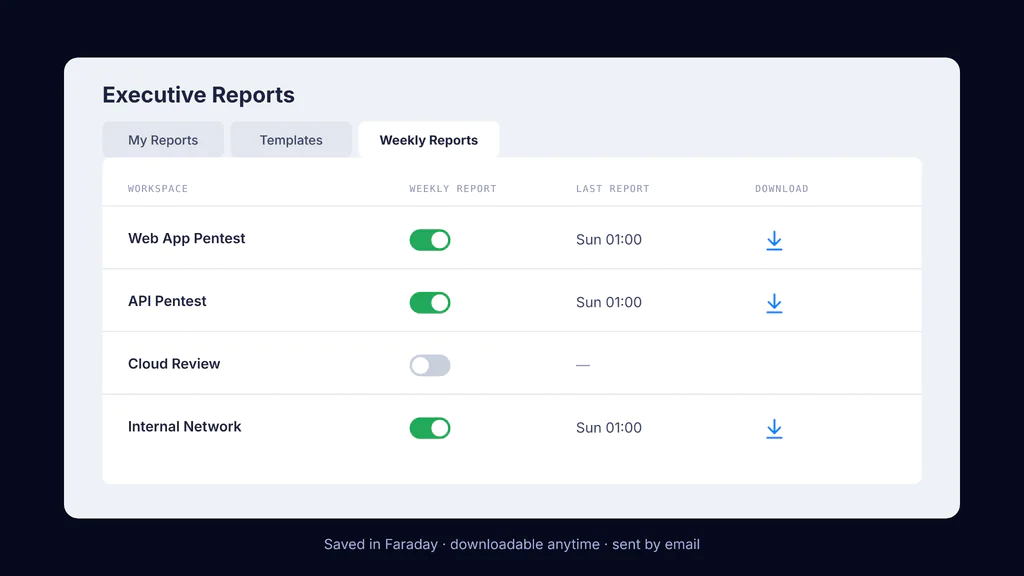
They now have their own home: Executive Reports → Weekly Reports.
- Turn weekly reports on or off for each workspace, all from one place
- Your recent reports are saved in Faraday, so you can go back to them
- Download any saved report at any time
- If an email account is configured, reports are also sent automatically by email
Why it matters: a weekly snapshot of your security posture becomes a record you can track over time and share with stakeholders, not a one-off view.
Move Faster with Keyboard Shortcuts
For people who spend their day triaging findings, every trip to the mouse adds up.
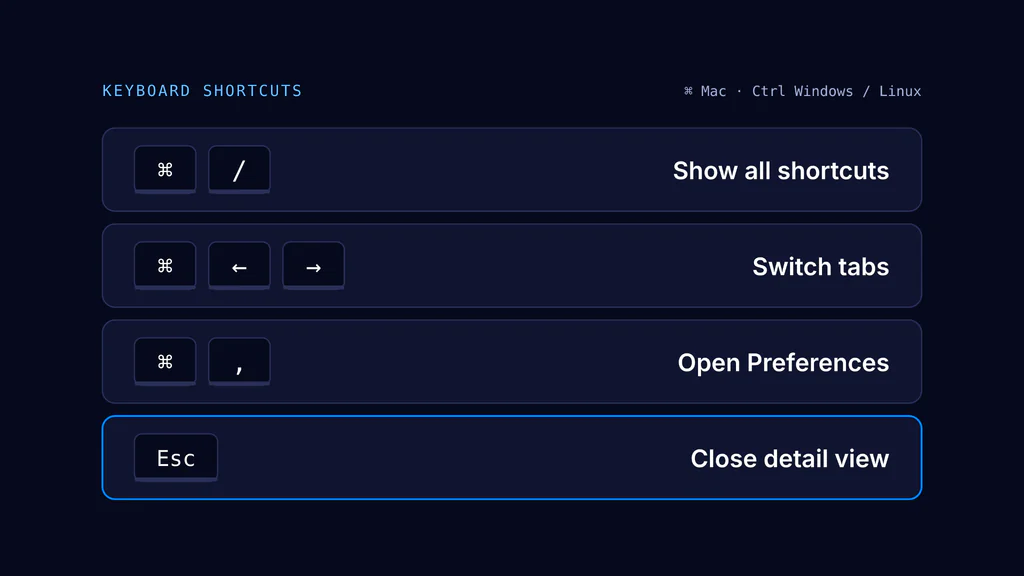
Faraday now supports keyboard shortcuts across the platform. Use ⌘ on Mac and Ctrl on Windows/Linux.
- ⌘/Ctrl + /: open the Keyboard shortcuts panel (also from the user avatar menu → Shortcuts)
- ⌘/Ctrl + → / ←: move between tabs in Workspaces, Assets, Services, and Vulnerabilities, and between the tabs of a vulnerability detail view
- ⌘/Ctrl + ,: open Preferences from anywhere
- Esc: close the vulnerability detail view
The panel is context-aware. It always shows the general shortcuts and adds a This screen section when the current view has its own.
Why it matters: faster navigation through findings, with the same muscle memory everywhere in the app. See all shortcuts.
Discover What’s New, Right Inside Faraday
Release notes are useful, but they’re one more place to go looking.
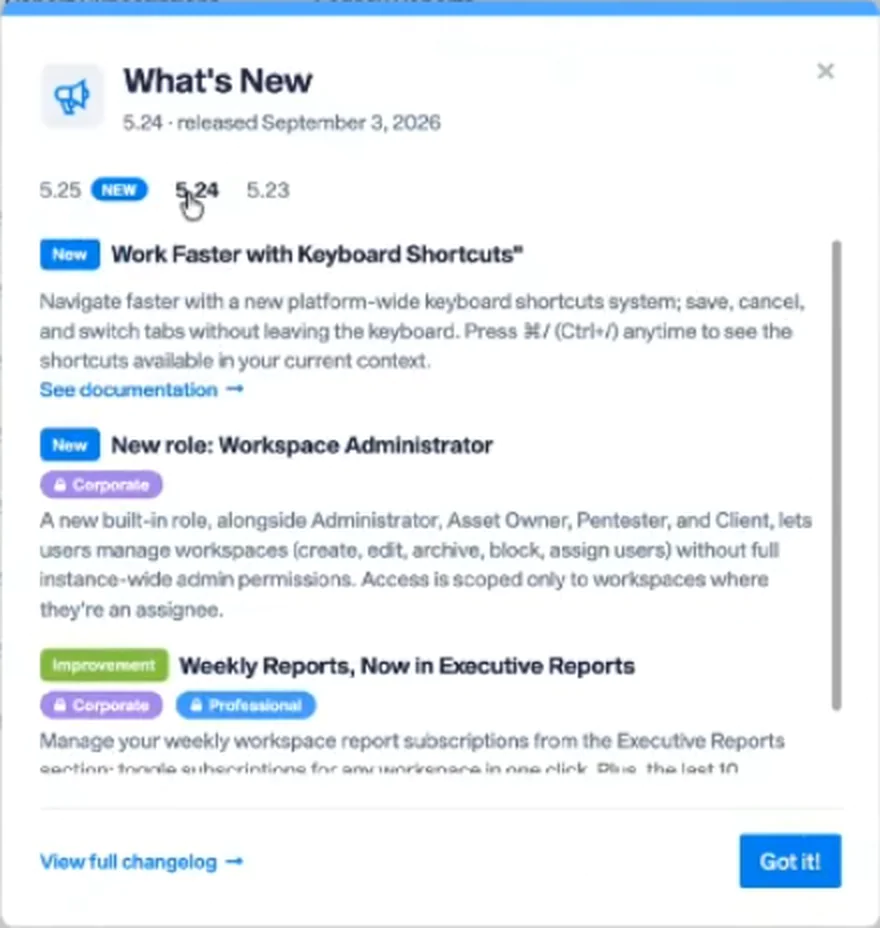
Faraday now has a What’s New menu built into the app. You’ll find it in the user menu, with a blue dot when there’s something new to see.
- Browse the latest releases at a glance, each feature presented as a clean, visual card with a short summary
- Jump straight to the documentation for any new feature with See documentation
- Learn by doing with guided tours: when a feature has one, Take Tour walks you through it step by step inside the product
Why it matters: you discover new capabilities in context, right where you’ll use them, and start getting value from them sooner.
Tighter Access Control Across the Platform
Some of the most important work in this release happens where you don’t see it:
- More consistent role permissions: custom roles can no longer have Update or Delete enabled without Read.
- Stronger permission checks on Agents: Agent and Cloud Agent configuration changes now enforce role and permission validation.
- Reliable 2FA settings: two-factor authentication now behaves as expected when it’s enabled and later turned off before being confirmed.
- Clearer SAML restrictions: SAML users see from the start that their email can’t be changed.
- Smoother access token management: improved handling and accurate scope labels in the Access Tokens view.
More Reliable Data in Reports and Integrations
- Grouped executive reports now list every individual vulnerability instance under its group.
- Sending a vulnerability to Jira, ServiceDesk, or other integrations updates the Issue Tracker column immediately.
- Linking a vulnerability to multiple credentials no longer removes vulnerabilities that were already linked.
Additional Improvements
- Pick up where you left off: when a session times out, logging back in returns you to the exact view you were working in.
- Clearer password feedback: password errors now appear inline as you type when creating a user, and the Login screen has a show/hide password toggle.
- More flexible scheduling: custom schedules for Runners and Security Scanners now accept full crontab syntax, including ranges, lists, and step values.
- Sortable tables: sort the Analytics and Services tables by clicking any supported column header.
- Tenable CSV import: the Tenable plugin now also accepts CSV exports from Tenable Vulnerability Management.
- Undo after paste: Ctrl+Z now works on pasted text in vulnerability descriptions and resolutions.
- Dozens of refinements across asset management, credentials, dashboards, reports, and user/role administration.
Full details in the changelog.
Looking Ahead
Many of the changes in 5.24 came straight from user feedback, and we want to keep it that way. And if you liked the new Weekly Reports, check out what they became in Faraday 5.25. Questions or feature requests? Reach us at support@faradaysec.com.
See you in the next release!