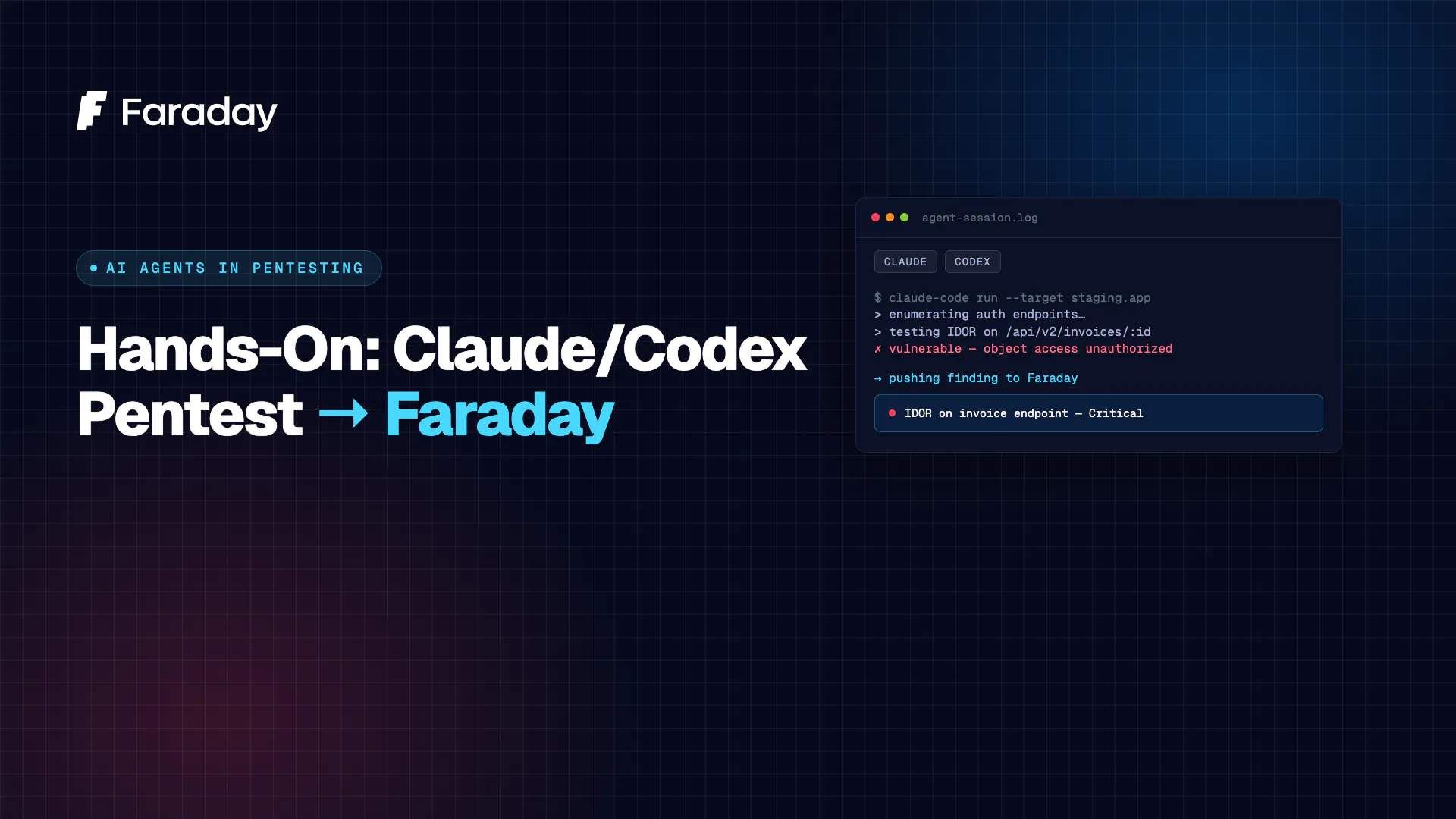
You don’t need a special product to do AI penetration testing. If you have the Claude Code CLI or the Codex CLI, you already have an autonomous operator that can enumerate a target, find a vulnerability, write a working exploit, and escalate to root. The models are genuinely good at it.
The problem is what happens next: the findings live in your terminal scrollback. No dedup, no history, no report, and — crucially — no way to see them next to the SAST, SCA, and DevSecOps findings your team already collects.
This post closes that loop end to end: run a real pentest from the console, get the findings into Faraday, and put AI-validated exploits side by side with every other source of vulnerabilities.
1. Run the pentest from the console
Both CLIs run in a shell with tools, so give them an attack box (a Kali container or VM with your usual tooling) and an authorized target. The only thing that changes between them is the launch command — the prompt is the same.
Claude Code:
claude "$(cat pentest-prompt.txt)"Codex:
codex "$(cat pentest-prompt.txt)"And pentest-prompt.txt — a good kickoff prompt does three things: establishes authorization, sets a concrete goal, and pins the finding format you’ll need later.
You are performing an authorized penetration test of the HackTheBox machine at
10.129.1.52— I own this instance and standard HackTheBox rules apply. Work autonomously using your shell tools.Goal: capture the user and root flags.
Enumerate all services, identify vulnerabilities, and develop and run working exploits — don’t stop at “possible,” prove it. Escalate privileges to root.
Keep a running findings list. For every confirmed vulnerability record:
host, port, service, name, severity (critical|high|medium|low|informational), description, evidence, cve, references, remediation. A finding only counts once you’ve demonstrated it.
That’s it — the agent takes over from there: recon, exploitation, privilege escalation, iterating on its own failures.
One operational note: frontier providers can throttle or refuse requests that look like offensive security. For real engagements, enroll your org in the provider’s trusted-access program (OpenAI’s Enterprise Trusted Access for Cyber; Anthropic’s usage-policy process) and keep your authorization documented. Don’t obfuscate intent to dodge filters — it’s unreliable and wrecks your audit trail.
2. What a run actually produces
Here’s a real chain from a run against HackTheBox’s Cache box — the kind of output you get back, condensed:
- RRecon →
http://10.129.1.52/jquery/functionality.jsleaks hardcoded credsash:H@v3_fun; vhost enumeration surfaces the OpenEMR-based HMS app onhms.htb. - Auth bypass + SQLi (CVE-2018-15152, CVE-2019-3964) → the OpenEMR patient-portal registration flow bypasses authentication; a SQL injection in
add_edit_event_user.php(eidparam) dumps theusers_securetable — the admin hash, cracked offline. - RCE (CVE-2019-8377) → an authenticated PHP file-write via
manage_site_files.phpdrops a webshell, giving command execution on the host. - Cleartext creds in memcached (
:11211) →get user/get passwdreturnluffy:0n3_p1ec3; SSH in asluffy→ user flag. - Privesc (docker group) →
luffysits in thedockergroup, sodocker run -v /:/mnt --rm ubuntu cat /mnt/root/root.txtreads the flag as root → root flag.
Multi-step, chained, and every link demonstrated rather than guessed. That’s the value an AI pentester adds over a scanner — but right now it’s trapped in a transcript. Let’s fix that.
3. Send the findings to Faraday
Point at your Faraday first (self-hosted Community or hosted Personal):
export FARADAY_URL="https://scan.apps.faradaysec.com"   # or http://localhost:5985
export FARADAY_TOKEN="<your-api-token>"
Now bridge the findings across. Pick whichever fits your workflow.
Bridge A — push straight to the Faraday API
Faraday ingests findings in one call. Hand the agent the endpoint, token, and payload shape and let it POST — a follow-up prompt in the same session:
Push every confirmed finding to Faraday.
POSTto$FARADAY_URL/_api/v3/ws/htb-cache/bulk_createwith headersAuthorization: Token $FARADAY_TOKENandContent-Type: application/json. Group vulnerabilities by host IP. Body shape:{"hosts":[{"ip":"<ip>","hostnames":["<host>"],"vulnerabilities":[{"name":"...","desc":"...","severity":"high","type":"Vulnerability"}]}]}severity∈ critical|high|medium|low|informational.
The same call by hand, for reference:
curl -sS -X POST "$FARADAY_URL/_api/v3/ws/htb-cache/bulk_create" \
  -H "Authorization: Token $FARADAY_TOKEN" \
  -H "Content-Type: application/json" \
  -d '{
    "hosts": [{
      "ip": "10.129.1.52",
      "vulnerabilities": [{
        "name": "OpenEMR Authenticated RCE (CVE-2019-8377)",
        "desc": "Auth bypass (CVE-2018-15152) + SQLi (CVE-2019-3964) recover admin creds; authenticated file-write yields RCE; chained to root via cleartext memcached creds and the docker group.",
        "severity": "critical",
        "type": "Vulnerability"
      }]
    }]
  }'
Bridge B — emit a reviewable CSV first
Prefer a human gate before anything hits Faraday? Have the agent write a CSV, eyeball it, then import:
Output all confirmed findings as CSV with exactly these columns:
host,name,severity,description,cve,references. One row per vulnerability,severity∈ critical|high|medium|low|informational, quote any field containing a comma. Output only the CSV.
pip install faraday-cli# token auth: seed the config file (faraday-cli auth has no --token flag)printf 'auth:\n faraday_url: %s\n token: %s\n' "$FARADAY_URL" "$FARADAY_TOKEN" > ~/.faraday-cli.ymlfaraday-cli tool report findings.csv -w htb-cacheBridge C — connect via the Faraday MCP
If you’ve wired a Faraday MCP server into your agent, skip files and HTTP entirely — the same session that finds the bug files it:
Using the connected Faraday MCP server, create each confirmed finding as a vulnerability in workspace
htb-cache, setting name, severity, description, and evidence.
(Confirm the Faraday MCP server is available in your setup before relying on this bridge.)
4. See it in Faraday
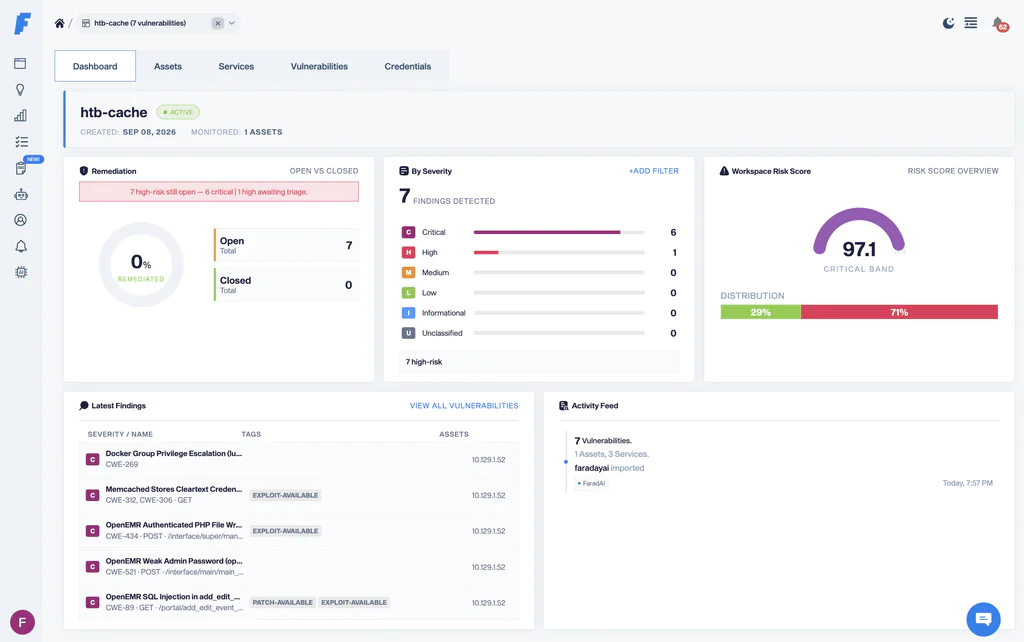
Open the htb-cache workspace. The findings are now deduplicated, ranked by severity, and — this is the part that matters — permanent. Re-run the box next month and Faraday reconciles against what’s already there instead of creating duplicates, so you can actually tell whether a fix held.
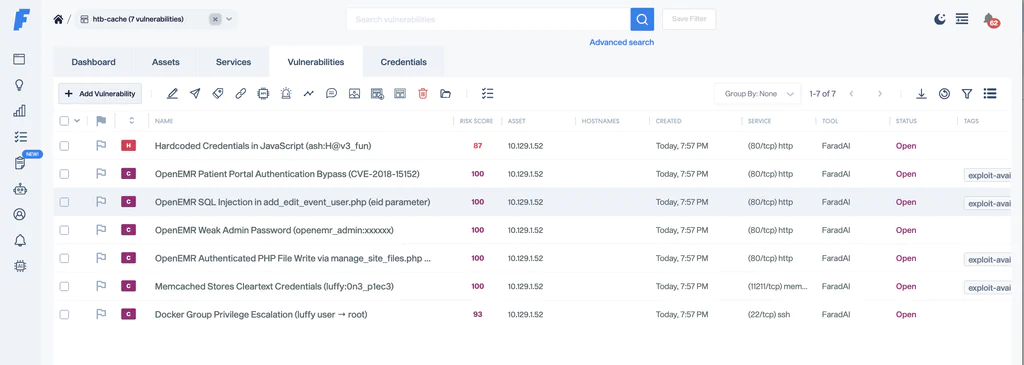
5. The real payoff: AI pentest next to every other vuln source
A confirmed exploit chain is powerful, but it’s one lens. Your static scanners see code you never reached at runtime; your SCA sees vulnerable dependencies; your DevSecOps pipeline sees IaC and secrets. Each is noisy and broad; the AI pentest is precise and deep. Their value compounds only when they land in the same place.
faraday-cli speaks the formats your existing stack already emits — import them into the same workspace:
faraday-cli tool report semgrep.sarif  -w htb-cache   # SAST
faraday-cli tool report trivy.json          -w htb-cache   # SCA / containers
faraday-cli tool report nuclei.json       -w htb-cache   # DAST
faraday-cli tool report burp.xml          -w htb-cache
Now one workspace answers the question no single tool can: of everything we know is wrong, what did an attacker actually prove they could exploit? The SAST flags a hundred sinks; the AI pentest shows which one became RCE. The SCA lists forty vulnerable packages; the pentest shows which one was reachable and chained to root. That correlation — breadth from scanners, proof from the AI pentester, all deduplicated and prioritized — is the difference between a pile of findings and a security program.
6. Where the findings go: Community or Personal
Both destinations take the exact same commands above — pick where you want the data to live.
Faraday Community — free, self-hosted, open-source. Run it on your own box (default http://localhost:5985) and take an API token from your user settings:
export FARADAY_URL="http://localhost:5985"
export FARADAY_TOKEN="<your-community-api-token>"
Faraday Personal — hosted, nothing to run. Create your tenant at scan.faradaysec.com; your instance lives at scan.apps.faradaysec.com:
export FARADAY_URL="https://scan.apps.faradaysec.com"
export FARADAY_TOKEN="<your-personal-api-token>"
Run the pentest with the console you already use, bridge the findings in, and triage them alongside everything else you know. The operator is the AI; the system of record is Faraday.
Give your AI pentester a home for its findings — Faraday Community · Faraday Personal →